


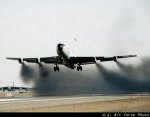
Tonight I was just messing around trying to crop just the front of the plane. I've never done this before so I was wondering if theres any tricks? Include the engines? Landing gear? Here's 3 I did, any suggestions?
Bill


Tonight I was just messing around trying to crop just the front of the plane. I've never done this before so I was wondering if theres any tricks? Include the engines? Landing gear? Here's 3 I did, any suggestions?
Bill


Good crops, but I think you did it a little too tight. A little more breathing room around the nose and such might be good.
Otherwise, your crops are visually appealing, which is the challenge when going for such motivs.
Email me anytime at [email protected].

i've always been frustrated by having to freely crop pix and not knowing the actual dimensions until it's cropped. is there any way in ps to set say a "box" that is say 1024x768 and use that to crop the image you want from the one you took?
it is mathematically impossible for either hummingbirds, or helicopters to fly. fortunately, neither are aware of this.
Matt, in PhotoShop, when you select the crop tool, you should see two boxes marked Width and Height in the tool menu bar at the top. Enter 4 for the width & 3 for the height. That will keep your crop box at the correct proportions as you drag it to crop. When you are done editing and resize the image, type 1024 pixels into the width and the height will automatically be 768.
KC-135 - Passing gas & taking names!
http://www.jetphotos.net/showphotos.php?userid=15086
http://moose135.smugmug.com


Bill: I agree with Phil, there needs to be a little more room around the nose, it just looks like the aircraft is butterd against the edge of the photo. You have though, included what I believe to be the selling points for this motive, you did not cut-off the engines or gear. Good Luck with them!
I didn't really answer this question well enough.
As for the engines and gear, that really is for your artistic interpretation. There are certainly motives where you don't need them in the photo, and that is for you to decide. Whether Anet or Jp would accept is another issue, but it's certainly something that you need to develop a feel for.
The easiest way to crop is well is to know when to press the shutter, which you seem to be doing.
When looking for motives, you just have to be creative and look at the planes with the 1024x683 frame in your head.
Email me anytime at [email protected].
Bill as others have stated you need more room around the nose and I'd also leave a bit of room in the rear as well. Otherwise nice job! :)
moose, i do see those boxes in both PS6 and PS Elements. what do i do after entering the dimensions in the box though? i enter the dimensions and nothing happens. i can still crop the pic like normal but not the way you say i should be able to.
it is mathematically impossible for either hummingbirds, or helicopters to fly. fortunately, neither are aware of this.
When you enter those dimensions, the crop box will retain that aspect ratio as you drag it across the image - regardless how large or small you make the crop box, it will always be in a ratio of 4 wide x 3 high.
In this example, I set the 4x3, and drew the box (left click and hold), retaining the correct ratio. I can make the box larger or smaller, and keep the same ratio.
From there, when you resize the image, only enter the 1024 in the width, when you tab out of that field, you should see the height change to 768, giving you a properly sized photo for upload to your favorite site. In this example, as I typed the "1024" into the width, the height filled in automatically. Make sure the "Constrain Proportions" box is checked (this is PS Elements, it may be slightly different in other versions of PS, but I'm at work right now and only have Elements installed.)

KC-135 - Passing gas & taking names!
http://www.jetphotos.net/showphotos.php?userid=15086
http://moose135.smugmug.com
BIl, I like the AF crop the most. As others have said, the nose is a bit tight. (the crop on the aa nose is as tight as I might go)
But I really like how you kept the engire engine un-cut in the AF pic.
And I, I took the path less traveled by
and that has made all the difference......yet...
I have a feeling a handle of people are going to be very interested in what I post in the near future.
http://www.jetphotos.net/showphotos.php?userid=187
ok i think i get it now. i'll try it when i get home, need to re-submit the N319PD shot again.
it is mathematically impossible for either hummingbirds, or helicopters to fly. fortunately, neither are aware of this.
Thanks guys for the advice. I'm going to bed now so tommorow I'll have to give this another shot.
anyone know the ratio for the dimensions 1024x680?
it is mathematically impossible for either hummingbirds, or helicopters to fly. fortunately, neither are aware of this.
3 to 2 will give you 1024x683, I think that's as close as you are going to get.Originally Posted by cancidas
KC-135 - Passing gas & taking names!
http://www.jetphotos.net/showphotos.php?userid=15086
http://moose135.smugmug.com
 Posting Permissions


 Reply With Quote
Bookmarks