Results 1 to 13 of 13

Thread: Question re: editing and shooting modes

  1. #1
    Moderator mirrodie's Avatar
    Join Date
    May 2005
    Location
    Me like the Robert Downey Jr of cooooooookies!
    Posts
    5,749

    Question re: editing and shooting modes

    So I've been shooting now with the 20D for ...2 years and trying to re-evaluate what I am doing.
    That's the only way to get better, right? :)

    a)I started shooting mostly in Av but I am trying to use Tv more often. Any tips or insight or comments thereabouts? Also, I hear F8.0 used most often but why not a lower F value? Why only higher? Is the depth of field that you are looking for looking to resolve blur from the wing edge up to the fuselage, hence no lower than 8.0?

    b)I am now considering shooting manual in raw, fixing the aperature and shutter. Would that allow the exposure compensation to "float" and later be readjusted?

    c) I've long held the philosphy that shooting in raw is a 'crutch' and doesnt help one learn the camera. However, perhaps I should be utiizing it more now and later learning from it. Lots of ways to think about it.
    thoughts?

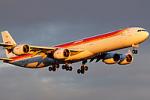
    [b]Lastly, here is an image I shot this weekend. The image I am showing has been cropped to 1024-683 and NOT SHARPENED yet.

    But as soon as I cropped it, I get the 'jaggies' that I've circled. Perhaps I am trying to be hypercritical, but are those jaggies a fucntion of cropping? The raw image is fine. What is with this? I find I get the jaggies as soon as I crop. What am I doing wrong? Or am I using the wrong terms?[/
    b]
    This is the shooting info for analysis:

    Camera Model
    Canon EOS 20D
    Shooting Date/Time
    8/25/2007 5:37:53 PM
    Shooting Mode
    Aperture-Priority AE
    Tv( Shutter Speed )
    1/500
    Av( Aperture Value )
    8.0
    Metering Mode
    Center-Weighted Average Metering
    Exposure Compensation
    0
    ISO Speed
    100
    Lens
    100.0 - 400.0 mm
    Focal Length
    150.0 mm
    Image Size
    3504x2336
    Image Quality
    RAW
    Flash
    Off
    White Balance Mode
    Auto
    AF Mode
    AI Focus AF
    Parameters Settings
    Contrast Standard
    Sharpness Standard
    Color saturation Standard
    Color tone 0
    Color Space
    sRGB
    Noise Reduction
    Off
    File Size
    6801 KB


    And I, I took the path less traveled by
    and that has made all the difference......yet...
    I have a feeling a handle of people are going to be very interested in what I post in the near future.

    http://www.jetphotos.net/showphotos.php?userid=187

  2. #2
    Senior Member Iberia A340-600's Avatar
    Join Date
    Jun 2005
    Location
    NYC
    Posts
    4,006

    Re: Question re: editing and shooting modes

    Mario, I have the same jaggies where the tail meets the body:


    I think it might have to do with the livery?

  3. #3
    Senior Member NIKV69's Avatar
    Join Date
    Apr 2005
    Location
    IFP, ISP, JFK, IGM, SAN, VCV, LGA, LAX, SEE, LAS
    Posts
    4,258

    Re: Question re: editing and shooting modes

    I am now considering shooting manual in raw, fixing the aperature and shutter. Would that allow the exposure compensation to "float" and later be readjusted?
    I have been experimenting with Manual. Getting some nice results. When the sun isn't too high I don't need to have it set anywhere but 0.

    I've long held the philosphy that shooting in raw is a 'crutch' and doesnt help one learn the camera. However, perhaps I should be utiizing it more now and later learning from it. Lots of ways to think about it.
    thoughts?
    I know the "crutch" mentality is prevelant here about shooting in raw but it's pretty narrow minded. If you want to shoot in jpeg that is fine. RAW allows you to fix things like color cast and other stuff that is not a result of "not knowing your camera" If you blow out a pic all the work in ACR is not going to help you.
    'My idea of a good picture is one that's in focus and of a famous person doing something unfamous.' Andy Warhol

  4. #4
    Senior Member
    Join Date
    May 2006
    Location
    NJ
    Posts
    632

    Re: Question re: editing and shooting modes

    Quote Originally Posted by mirrodie
    a)I started shooting mostly in Av but I am trying to use Tv more often. Any tips or insight or comments thereabouts? Also, I hear F8.0 used most often but why not a lower F value? Why only higher? Is the depth of field that you are looking for looking to resolve blur from the wing edge up to the fuselage, hence no lower than 8.0?
    The reason I've typically heard for shooting between f/8 and f/11 (or so) is that it's the "sweet spot" for a lot of lenses; nearly ever lens is softer wide open, so stopping down helps to make the image sharper. Stop down too much, though, and you can start to get problems from diffraction in the lens, not to mention that you do want to be as wide open as possible to get the fastest shutter speed.
    Phil Gengler - NYCA's "other Phil"

  5. #5
    Junior Member
    Join Date
    Aug 2007
    Location
    Garden City, NY
    Posts
    4

    Re: Question re: editing and shooting modes

    Hey Mario, Gordon, Nick. It was great meeting you guys this past weekend.

    I don't see much of a problem with your shots. I have an aging LCD, so it may be my monitor and eyes.

    For the heck of it, here's my shot of the same plane for comparison. I always shoot RAW and I almost always shoot manual and either spot or incident meter my shots. I got used to that from the nature and wildlife shooting I started with. Shooting RAW is not a crutch. If it is, then the majority of the world's top shooters are leaning on it. Just about every single one of them shoots RAW.

    Shooting in RAW is not for an excuse to be sloppy with exposure. The advantage of RAW is you have an unaltered image to do what you want, not what Canon or Nikon wants. It gives you creative control. As for correcting exposure, there is technically correct exposure then there is creatively correct exposure. Creatively correct exposure is your individual vision and allows you to present the photo as you saw it in your mind, not just recording what is there. I know this is a controversial subject for some, so don't stone me for stirring the pot on my first post.


    Rebel XT/Canon 100-400mm
    f/7.1 @ 1/800, ISO 100, 400mm
    +.45 EV, crop and sharpening added in post using Lightroom

    If interested, the rest of my shots from the day are at http://terrencej.smugmug.com/gallery/3378139. All were processed similarly.

    Terrence
    Photos: http://terrencej.smugmug.com
    Blog: http://terrencerandell.com
    Terrence
    Photos: http://terrencej.smugmug.com
    Blog: http://terrencerandell.com

    "The most effective way to do it, is to to do it." - Amelia Earhart

  6. #6
    Senior Member lijk604's Avatar
    Join Date
    Apr 2005
    Location
    4 air miles SE of ISP.
    Posts
    4,143

    Re: Question re: editing and shooting modes

    Terrence,

    Welcome to the group, and I am not going to be the one throwing stones.

    I have started shooting in RAW, for nothing else, but what Nick mentioned, fixing color casts. As others have also said, it allows YOU alone to make the corrections to the photo as YOU see fit, not as Canon or Nikon think the photo should look. I started using it when I started taking a lot of nature/wildlife photography and the other great thing about it, is your ability to regain details without killing the rest of the photo. If you thought using curves on a JPEG was a great tool, use them on a RAW file and you will be very happy with the results. DO I need a few more memory cards? Sure, but at $45 for a 2GB Extreme III card, who can complain?

  7. #7
    Junior Member
    Join Date
    Aug 2007
    Location
    Garden City, NY
    Posts
    4

    Re: Question re: editing and shooting modes

    Quote Originally Posted by lijk604
    Terrence,

    Welcome to the group, and I am not going to be the one throwing stones.

    I have started shooting in RAW, for nothing else, but what Nick mentioned, fixing color casts. As others have also said, it allows YOU alone to make the corrections to the photo as YOU see fit, not as Canon or Nikon think the photo should look. I started using it when I started taking a lot of nature/wildlife photography and the other great thing about it, is your ability to regain details without killing the rest of the photo. If you thought using curves on a JPEG was a great tool, use them on a RAW file and you will be very happy with the results. DO I need a few more memory cards? Sure, but at $45 for a 2GB Extreme III card, who can complain?
    RAW = total control. JPEG = limitations. I'm a control freak. :D

    Shooting RAW definitely chews up memory cards and storage like nobody's business. I am stocked with 45GB worth of cards to cover up to a full week in the field.
    Terrence
    Photos: http://terrencej.smugmug.com
    Blog: http://terrencerandell.com

    "The most effective way to do it, is to to do it." - Amelia Earhart

  8. #8
    Junior Member
    Join Date
    Aug 2007
    Location
    Garden City, NY
    Posts
    4

    Re: Question re: editing and shooting modes

    One more thing. Mario did state the image he posted was not sharpened. Converting RAW to JPEG without sharpening will produce lousy results guaranteed. You absolutely must sharpen. The results depend on the software used. I can vouch for Lightroom, Photoshop Eelements, Photoshop and Canon DPP. They all produce very good results. Photoshop produces the best results using Unsharp Mask (USM). I am not a master at sharpening, but do some reading on it and you'll get the hang of it.
    Terrence
    Photos: http://terrencej.smugmug.com
    Blog: http://terrencerandell.com

    "The most effective way to do it, is to to do it." - Amelia Earhart

  9. #9
    Moderator mirrodie's Avatar
    Join Date
    May 2005
    Location
    Me like the Robert Downey Jr of cooooooookies!
    Posts
    5,749

    Re: Question re: editing and shooting modes

    Terrence, it was a pleasure meeting you as well. Welcome to the crew.

    Quote Originally Posted by Terrence
    One more thing. Mario did state the image he posted was not sharpened. Converting RAW to JPEG without sharpening will produce lousy results guaranteed. You absolutely must sharpen.
    Im not sure I follow you there in terms of procedure. You you saying to use a sharpening tool BEFORE I convert to jpeg? HOw would I do that procedurally?

    In the above instance. I shot raw, then once on the computer, I used the EOS Viewer Utility to correct the exposure but did not use EOS's utility to sharpen the image. Then I converted it to jpeg. It was still looking good by that point. But I found that once I cropped that jpeg, I felt I saw jaggies where noted.
    And I, I took the path less traveled by
    and that has made all the difference......yet...
    I have a feeling a handle of people are going to be very interested in what I post in the near future.

    http://www.jetphotos.net/showphotos.php?userid=187

  10. #10
    Junior Member
    Join Date
    Aug 2007
    Location
    Garden City, NY
    Posts
    4

    Re: Question re: editing and shooting modes

    You definitely need to sharpen prior to saving as JPEG. You could just bring the RAW file in to DPP and do everything in there. Without sharpening, you'll be very unhappy. Shooting JPEG applies the sharpening in camera. While I don't like what the camera does, even that is better than nothing.

    Take a look at these tutorials to get a good intro to sharpening in Photoshop. Even if you don't have Photoshop, you'll understand sharpening a little better. http://dgrin.smugmug.com/gallery/1075667 http://dgrin.smugmug.com/gallery/1104535

    To give some more examples of what you can do, take a look at the following images. Both come from the same RAW file. I processed the first in Lightroom and applied sharpening in Lightroom. I processed the second in Lightroom for a minor exposure correction only, then played with Curves and Unsharpen Mask in Photoshop CS2. To me, the second image pops. The Alitalia green and organge are more like I remember seeing the. The first one feels flat and shows the grayness of that hazy day.


    Terrence
    Photos: http://terrencej.smugmug.com
    Blog: http://terrencerandell.com

    "The most effective way to do it, is to to do it." - Amelia Earhart

  11. #11
    Senior Member NIKV69's Avatar
    Join Date
    Apr 2005
    Location
    IFP, ISP, JFK, IGM, SAN, VCV, LGA, LAX, SEE, LAS
    Posts
    4,258

    Re: Question re: editing and shooting modes

    At the sizes we are using sharpening either in ACW or later in PS in not going to make enough difference. Mario do your self a favor. If you have ACW. Before you open in PS only change the exposure, shadows, contrast (If needed). Open in PS and level, crop, fix dust spots, boost the levels and hue a bit and use USM to sharpen then save in jpeg. For a good capture that is all you need to do.
    'My idea of a good picture is one that's in focus and of a famous person doing something unfamous.' Andy Warhol

  12. #12
    Administrator PhilDernerJr's Avatar
    Join Date
    Apr 2005
    Location
    Queens, NY
    Posts
    12,470

    Re: Question re: editing and shooting modes

    To me, Mario, those are just not jaggies. Just natural pixelation.
    Email me anytime at [email protected].

  13. #13
    Moderator mirrodie's Avatar
    Join Date
    May 2005
    Location
    Me like the Robert Downey Jr of cooooooookies!
    Posts
    5,749

    Re: Question re: editing and shooting modes

    I think I am losing something in translation here. I am only working with EosViewerUtility and PS7.0

    As of now, I have EOS viewer utility to capture and edit the .cr2 files and once done, I use the same program to convert to jpeg to work on that photos at that point.

    This is the screen I work with. I m not familiar with ACW.


    But seems you are saying to do all my work prior to saving in jpeg. I haven't have me coffee yet but I am not seeing how I can do this. NIck, you will have to explain on Friday.


    But I will say this. I did enjoy shooting raw these past few days. I am learning the camera to an even better degree.

    THanks, M
    And I, I took the path less traveled by
    and that has made all the difference......yet...
    I have a feeling a handle of people are going to be very interested in what I post in the near future.

    http://www.jetphotos.net/showphotos.php?userid=187

Bookmarks

Posting Permissions

  • You may not post new threads
  • You may not post replies
  • You may not post attachments
  • You may not edit your posts
  •